.png)
For the last two years, the way I write software has quietly but completely changed.
- I did not stop being a developer.
- I did not stop thinking.
- I did not stop learning.
What changed is how I move from idea to working code.
I spend most of my time today inside AI-powered development environments. Some people call this “vibe coding.” where instead of wrestling with syntax and boilerplate, I focus on intent, flow, and architecture, while the tools handle the heavy lifting. Tools like Claude, Cursor, and Google’s Anti-Gravity are now part of my daily workflow. Not because they are perfect — they are not — but because together they remove a huge amount of friction from modern software development. This post is about that experience: the good, the bad, and what it really feels like to build products with AI as your co-developer.
My Background Before AI Entered the Picture
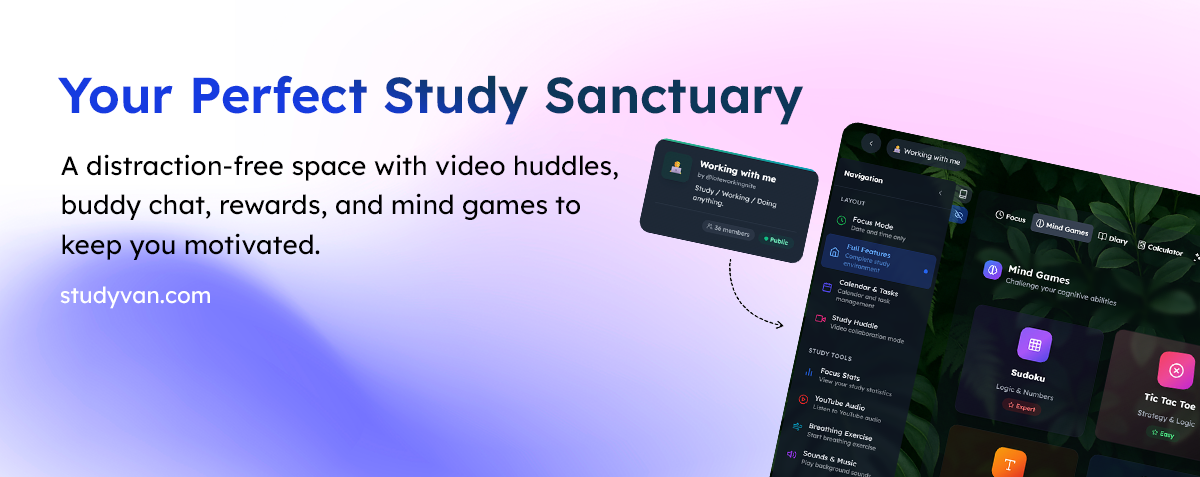
I come from a traditional development background. I spent years working with Laravel, backend systems, APIs, and database-driven applications. More recently, I’ve been building StudyVan, a full SaaS platform using Next.js and Node.js. That transition alone pushed me into a more modern, real-time, cloud-first way of thinking. Adding AI into that mix didn’t remove my role it simply made the path from idea to implementation far smoother.
Vibe coding has become part of my everyday workflow. Most of the time, I’m still the captain — I don’t let the agent do everything, because it doesn’t always implement exactly what I need. I’m not handing control to a machine. I’m guiding a conversation between what I want to build and how it should be built. Instead of wrestling with syntax, boilerplate, and documentation, I focus on intent and structure, while AI takes care of much of the mechanical work.
I started, like many developers, with VS Code and GitHub Copilot. Then I moved to Cursor. Later, I spent time working with Claude through both the CLI and the web interface. Now, I find myself inside Google Antigravity, an agent-first AI development environment. Each step didn’t replace the previous one overnight, it revealed a new way of working.
Phase One: VS Code + GitHub Copilot
Copilot was my first real exposure to AI-assisted coding. It made typing faster and reduced repetitive work. Autocomplete became smarter, and boilerplate nearly disappeared. However, Copilot had a limitation. It didn’t really understand what I was building — it simply reacted to what I typed. It also had a tendency to hallucinate and degrade over longer conversations. Over time, that started to feel limiting.
Phase Two: Cursor
Cursor was the first tool that made AI feel like part of the development environment rather than an external helper. I could talk to the AI inside my project, and it could see my files, understand the structure, and suggest changes across the codebase. That was a major shift. Cursor is excellent for everything from refactoring large projects to building full SaaS applications. The downside is cost — it’s powerful, but expensive enough that you have to think carefully about whether the productivity gains justify it.
Phase Three: Claude
Claude brought something different. It wasn’t just about code, it was about thinking. I first used Claude through the web and later adapted to the CLI to design APIs, debug logic, and think through architectural trade-offs. Claude is especially strong at explaining why something works, designing systems, and understanding long context. But it has one real weakness: it times out. Long technical sessions sometimes get cut off, which breaks flow when you’re deep into a problem. Still, Claude showed me that AI could be more than autocomplete. It could be a true thinking partner.
Phase Four: Enter Google Antigravity
Antigravity is not just another coding assistant. It is an agent-first development platform. Built on top of VS Code, it allows you to delegate entire tasks to autonomous AI agents that can plan, write code, run commands, open browsers, generate tests, and even build UIs. This is a different model of working.
Instead of saying:
“Write this function”
You can say:
“Implement authentication for this app, add tests, and make sure it works.”
The agent will:
- Plan the steps
- Modify code
- Run commands
- Fix errors
- Iterate
Sometimes, it honestly feels like the agentic mode just does the job. You are no longer micromanaging code. You are supervising execution.
How This Changed My Work on Study Van
This shift has completely changed how I work on Study Van. I still write code, and I still understand the architecture of everything I build, but I no longer spend most of my time typing. Instead, I spend it directing. AI now takes care of much of the setup, refactoring, repetitive logic, and even test generation, while I focus on the things that actually move the product forward product decisions, system design, and user experience. That balance is the essence of vibe coding: letting machines handle the mechanical parts while humans stay in control of meaning and direction.
The Good and the Bad
This new workflow comes with real advantages. Iteration is much faster, mental fatigue is lower, system-level thinking becomes clearer, and prototyping happens at a speed that would have been impossible just a few years ago. At the same time, there are trade-offs you cannot ignore. AI agents can make wrong decisions, everything still needs to be reviewed, costs can add up, and over-trusting automated output can lead to subtle bugs. This is not automation without responsibility, it is delegation with oversight.
Why I Believe This Is the Future of Development
We are moving from writing instructions line by line to managing intelligent agents that can plan, execute, and iterate on our behalf. This does not make developers less important. It makes them more strategic. Instead of acting as code typists, we become system designers, product thinkers, and decision makers. That is what vibe coding really represents, and tools like Copilot, Cursor, Claude, and now Antigravity are simply different stages of that evolution.
Final Thoughts
I did not stop being a developer. I simply stopped wasting energy on things that machines are better at. That is what this shift is really about not replacing humans, but freeing them to think. And once you experience that kind of creative and technical freedom, it becomes very hard to go back.

.png)